TikTok publishing

Creator authorization. Current settings. One final action.

AccountPilot's TikTok publishing flow is designed around explicit creator choices: connect an authorized creator, select local media, load current TikTok publishing settings, choose supported options, then Publish now or Schedule post.
Login KitDisplay APIContent Posting APIPublishing settingsFILE_UPLOADDirect Post
1Connect creatorThe creator authorizes AccountPilot through TikTok's supported authorization flow.
2Choose videoSelect the final local media file prepared for publishing.
3Prepare postChoose creator, editable caption, cover and Publish now or Schedule.
4Load TikTok settingsRetrieve the selected creator's current publishing options before the final action.
5Choose settingsSelect available privacy, interaction and disclosure choices explicitly.
6Music usage & final actionAccept Music Usage Confirmation, then use Publish now or Schedule post. There is no second visible confirmation loop.
7Publish or schedulePublish now sends directly; Schedule post sends automatically at the approved date and time after revalidation.
8Track statusMonitor publishing lifecycle and processing state in AccountPilot history.
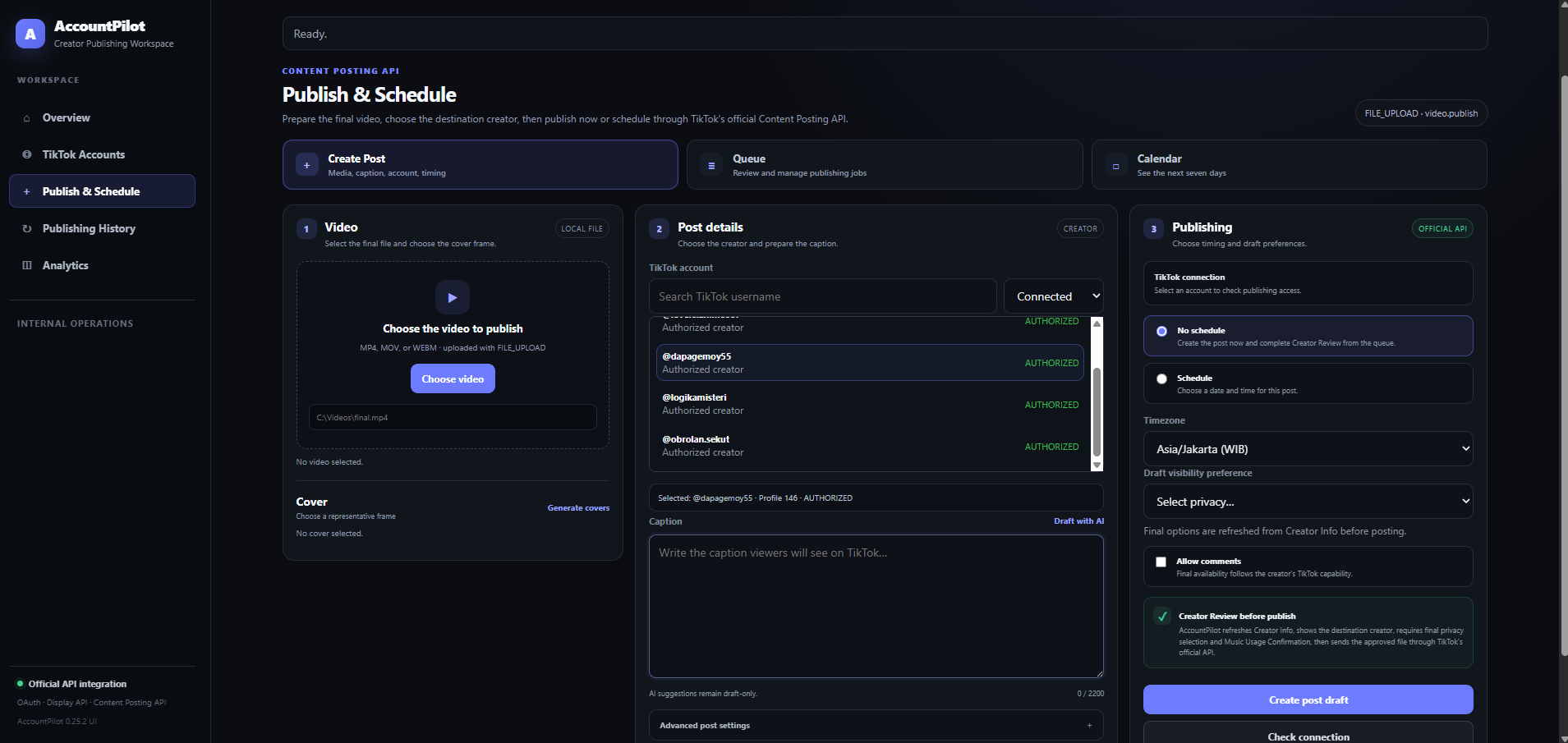
AccountPilot publishing composer
Creator-facing publishing composerActual AccountPilot UI
Direct Post workflow

The selected creator and publishing choices stay visible.

AccountPilot uses the creator-selected local video for the configured FILE_UPLOAD workflow and keeps destination, caption, cover, privacy and supported interaction choices visible before the final Direct Post action.

✓
Editable caption
The creator can review and edit the caption before final submission.
✓
Capability-aware settings
Available choices are derived from current creator information rather than hard-coded assumptions.
✓
One final publishing action
Publish now or Schedule post is the final visible action after all required choices and Music Usage Confirmation are ready.
Review path

Open the public site, then launch the local desktop application.

AccountPilot Desktop must already be running on the review computer. The local application opens at 127.0.0.1:8000 and handles the creator workflow.

Open AccountPilot Desktop
Independent software

AccountPilot uses TikTok integrations only for creator-authorized product functions.

AccountPilot is independent software by GudLabs and is not affiliated with or endorsed by TikTok. TikTok services, API availability, account eligibility and posting policies remain controlled by TikTok.

Status truth

Posts keeps historical and current delivery states distinct.

Direct Post is the current publishing path. Historical draft-upload records remain visible as Legacy upload so prior activity is not rewritten as a current capability.

Published is shown only after terminal TikTok publication status. Ambiguous outcomes remain marked for attention instead of being retried blindly.
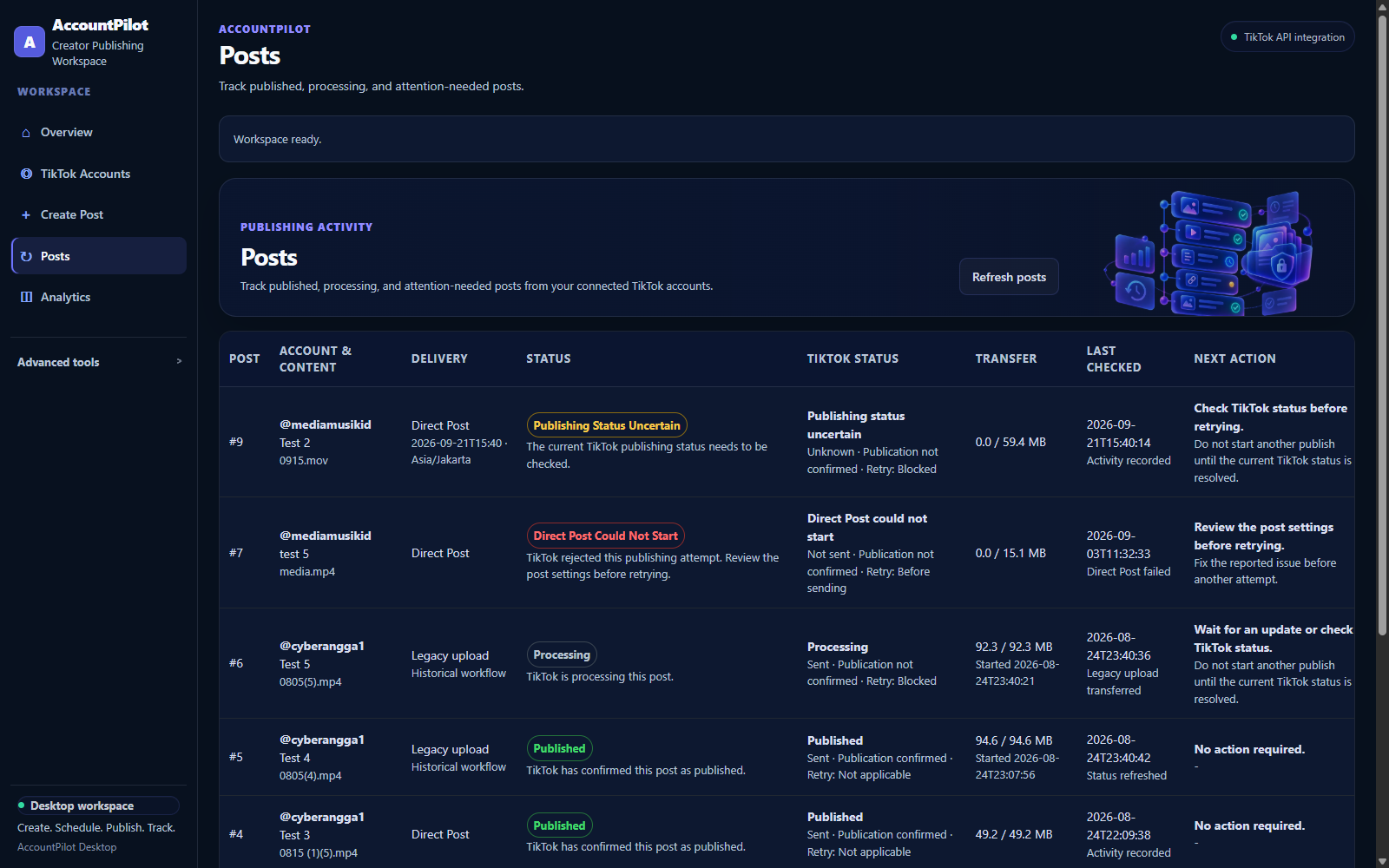
AccountPilot Posts status history
PostsDirect Post · Legacy upload · Processing · Published